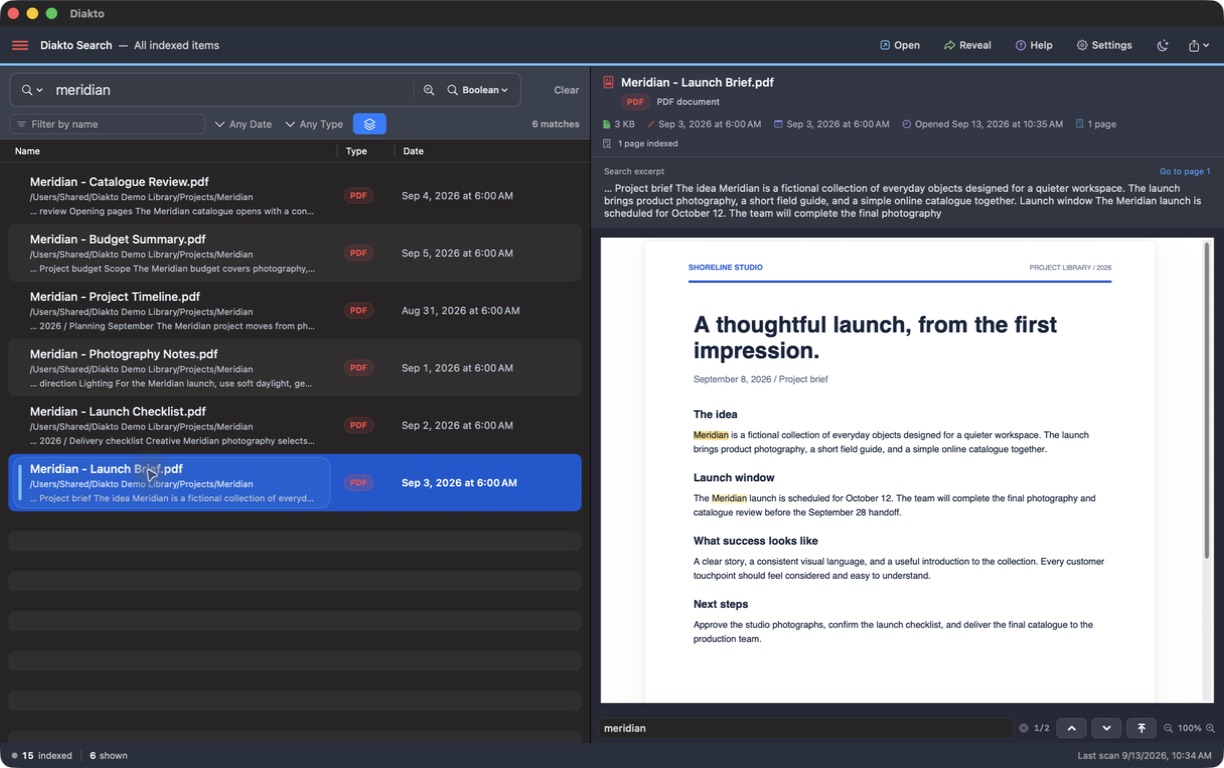
What Diakto can do with WPD files
Diakto includes support for .wpd WordPerfect documents. It reads their text into a local search index, so a remembered name, clause, or phrase can lead you back to a document even when its filename is unfamiliar. WordPerfect files can appear alongside PDFs and Word documents in the same search.
Selecting a WPD result creates a formatted preview using the converters included with Diakto. You do not need to install WordPerfect or a separate office suite to use this preview. Supported fonts, emphasis, paragraph formatting, and tables are retained where conversion allows.
Search a WordPerfect archive
- Choose the archive folder. Open Settings → Folders → Add Folder and select the folder containing your WPD files. Start with a folder you know. Documents, including WordPerfect files, are enabled by default.
- Make the files available on your Mac. For Dropbox or another cloud folder, download the files you want to search in Finder first. Diakto defers files marked online-only and does not request bulk downloads.
- Search for a useful detail. In Boolean mode, try a distinctive name or put a remembered phrase in straight quotation marks, such as
"renewal notice". Results become available as files are indexed. - Narrow the results. Add a filename word or use the date and type filters. If several drafts mention the same clause, these filters help separate them.
- Read the selected document. Click the result to view its excerpt and preview. Use ⌘F to find words within the selected preview. Reveal shows the original’s location in Finder.
Understand the preview’s limits
A formatted preview is useful for reading, but it is not a guarantee of the original page layout. Complex layouts, embedded graphics, uncommon features, damaged files, and password-protected documents can affect extraction or conversion. If the formatted preview cannot be created, Diakto shows the indexed text with a notice.
Diakto is a search and preview app; it does not edit your WordPerfect document or replace a full authoring application. Opening the original file uses an application on your Mac that can handle it. Keep the original when exact formatting matters.
If a WPD file is missing
Check the selected folders and clear the search filters. Make sure the file has downloaded, then choose Settings → Folders → Scan Now. Inspect any failed-file count or indexing note for the specific file. If the file is listed but a phrase is missing, try a distinctive unquoted word and check the available extracted text.
For a query that needs more precision, see the guide to exact phrases and proximity search. For image-only documents saved as PDFs, see searching scanned PDFs.
Your archive stays in place
Indexing and preview conversion do not rewrite the source WPD file. Searchable text and preview caches are stored separately on your Mac. Core document search requires no account or file upload. The privacy policy explains local storage and optional connections.